
Log in, sign up and get help
Kiki Bet Sign In
You log in to Kiki Bet with your email address and password, from the Log In button that sits at the top of every page. New accounts are opened with the Sign Up button next to it. This page explains both, what to do if you forget your password, how to reach the 24/7 live chat and how to keep your play in check with limits and breaks.
- Emaillogin with password
- 24/7live chat
- 18+to open an account
- 5safer gambling tools
Log in
How to log in
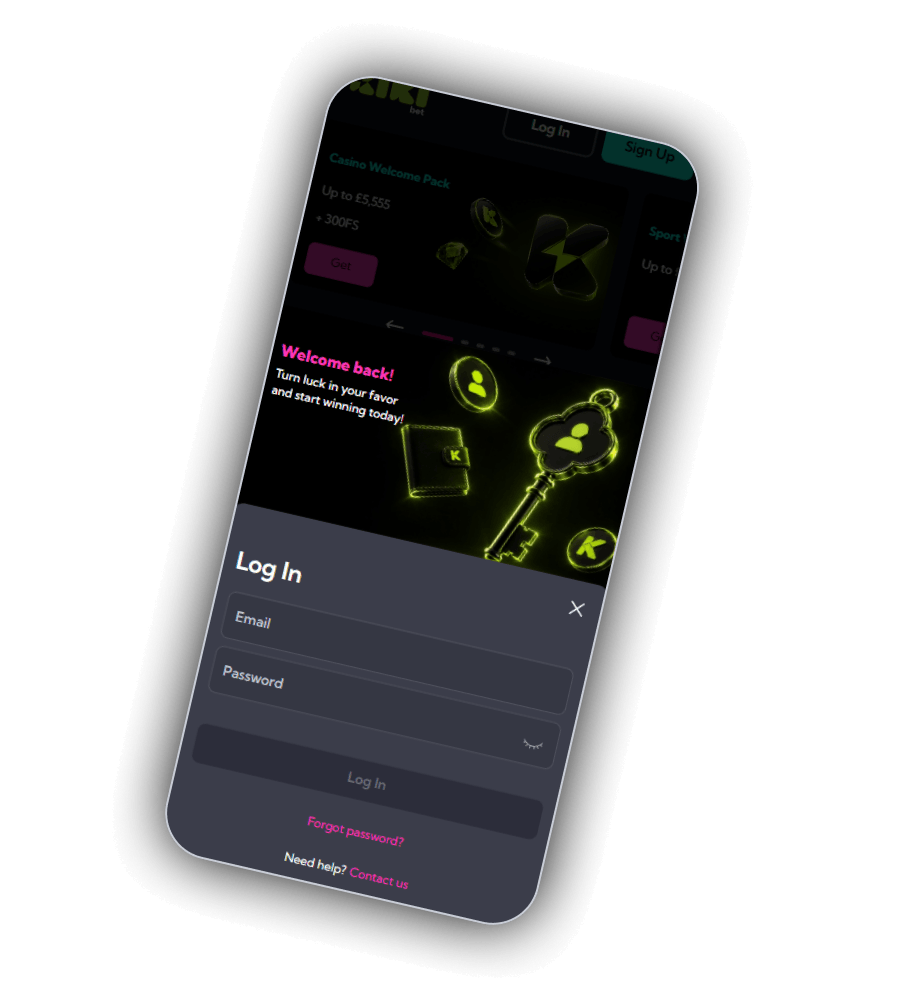
Press Log In in the top right corner. On a phone a panel titled Welcome back slides up, showing an Email field and a Password field. Fill them in and press Log in.
Below the button are two links. Forgot password starts a reset by email, and Need help? Contact us opens live chat if something does not work.
Once you are logged in, your balance appears in the header, and you can move between the casino, live tables and the sportsbook without logging in again. If you use the web app on your home screen, you stay logged in until you sign out.
Log in only at kiki.bet or through the links on this site. Never type your password into a page that came from a message or an email you did not expect.
Sign up
How to open an account
Press Sign Up at the top of any page.
Enter your email address and choose a password.
Add your name, date of birth and country exactly as they appear on your ID.
Confirm that you are 18 or older and accept the terms.
Open Promotions, pick the first deposit bonus and make your first deposit from £25.
Only one account per person is permitted. The details you enter are checked when you make your first withdrawal, so a typo in your name or date of birth can hold up your payout. If you made a mistake, ask live chat to correct it before you deposit.
Password
Forgotten password and account security
If you cannot log in, press Forgot password and enter the email address on your account. A reset link arrives by email. Open it, choose a new password and log in again. If the email does not arrive within a few minutes, check the spam folder.
Use a password you do not use anywhere else, and do not share your account. If you think someone else has logged in, change the password at once and tell live chat, so the team can check recent activity on the account.
Support
Live chat and email
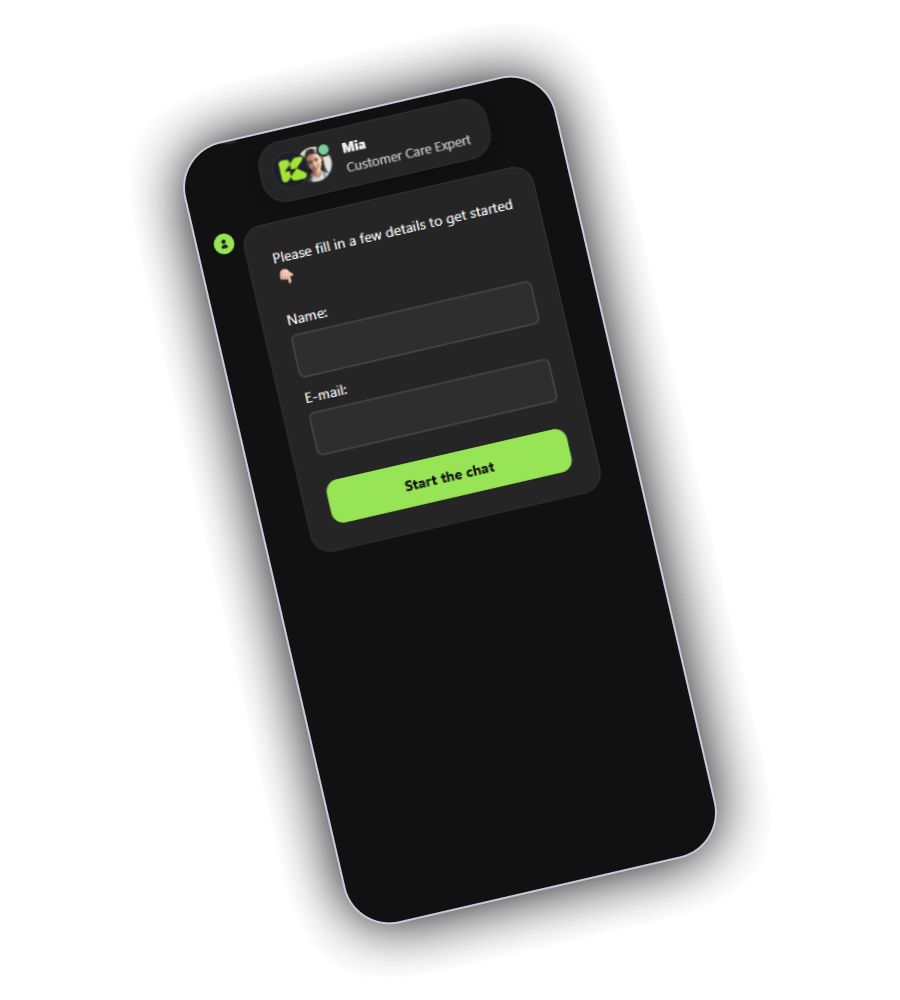
Live chat is open 24 hours a day, every day. Open it from the chat icon, enter your name and email address and press Start the chat. An agent from the customer care team joins the conversation, usually within a few minutes.
Chat is the quickest route for login problems, bonus questions and payment checks. For anything that needs a written record, such as a complaint or a request to close your account, you can also write to support by email. Kiki Bet has no phone line.
When you ask about a payment, have the coin, the amount and the transaction ID ready. That lets the agent find it straight away.
- Live chat
- 24/7, from the chat icon
- [email protected]
- Phone
- not available
- Language
- English
Safer gambling
Limits, breaks and self-exclusion
Kiki Bet is licensed outside the UK and is not part of GAMSTOP. The tools below are set on your Kiki Bet account, so use them even if you are already registered with GAMSTOP.
| Tool | What it does |
|---|---|
| Deposit limit | caps how much you can deposit per day, week or month |
| Session limit | ends your session after a set time |
| Reality check | shows a reminder of how long you have been playing |
| Cool-off | blocks the account for a short break |
| Self-exclusion | closes the account for a longer period |
In the UK you can call the National Gambling Helpline free on 0808 8020 133 at any hour, or contact GamCare and BeGambleAware. GAMSTOP blocks UK licensed sites, and blocking software such as Gamban can stop access to offshore sites like Kiki Bet as well.
FAQ
Questions about sign-in and support
How do I log in to Kiki Bet?
Press Log In at the top right of any page, enter the email address and password you signed up with and press Log in. On a phone the login window slides up from the bottom of the screen.
I forgot my password. What now?
Press Forgot password in the login window and enter your email address. Kiki Bet sends a link to set a new password. If no email arrives, check your spam folder and then contact live chat.
What do I need to sign up?
An email address, a password, your name, date of birth and country. Applicants have to be 18 or over, and the details must match your ID, because they are checked before your first withdrawal.
How do I reach support?
Open live chat from the chat icon, enter your name and email and press Start the chat. Chat is open 24/7. You can also write by email, but there is no phone line.
Can I self-exclude from Kiki Bet?
Yes. Set a cool-off or self-exclusion in your account settings, or ask live chat to close your account. Kiki Bet is not part of GAMSTOP, so a GAMSTOP exclusion does not cover it on its own.